Every tool you need
for site planning

Seven purpose-built drawing tools plus real-time site analytics — all running in your browser with no setup required.

Drawing Tool 1

Parcel & Site Layout

Define your site boundary precisely by clicking to place vertices. Each click sets a corner of your parcel polygon — double-click to close and complete the shape.

  • Click-to-place polygon vertices
  • Double-click to close the parcel
  • Drag any vertex to reshape after drawing
  • Automatic acreage calculation
  • Color-fill with adjustable opacity
2.41 ac
Drawing Tool 2

Roads & Infrastructure

Add road segments that define your site's circulation. Set road width, label type, and color to distinguish between primary drives, secondary lanes, and pedestrian paths.

  • Click-drag to draw any road segment
  • Configurable road width in feet
  • Road type labels (Primary, Secondary, Service, etc.)
  • Color-coded road differentiation
  • Adjustable opacity for underlays
Main Dr 24 ft
Drawing Tool 3

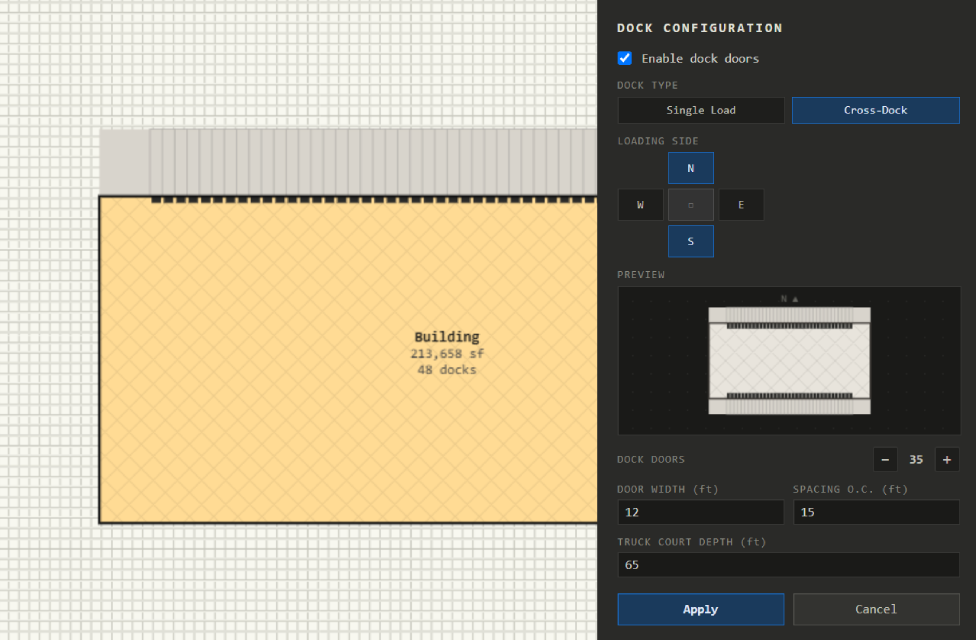
Buildings & Dock Configuration

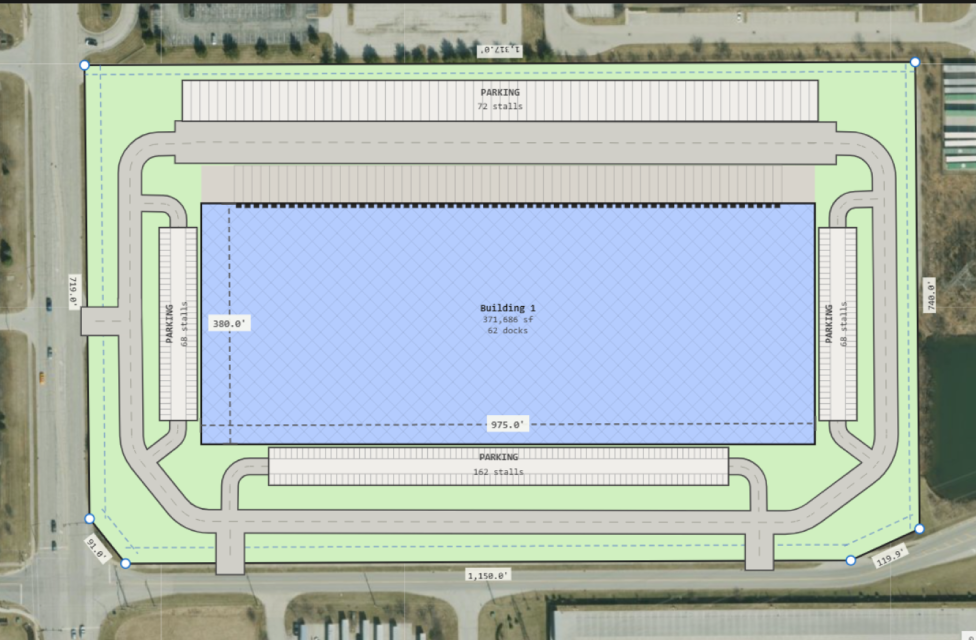
Place buildings by clicking and dragging a rectangle on the canvas. Set precise dimensions in the properties panel and configure dock doors on any side of the building.

  • Click-drag to draw; resize by dragging handles
  • Free rotation with on-canvas rotation handle
  • Dock doors on front, rear, or side walls
  • Single-sided or double-sided dock selection
  • Floor area calculated and added to site summary
200 × 100 ft 20,000 sf
Drawing Tool 4

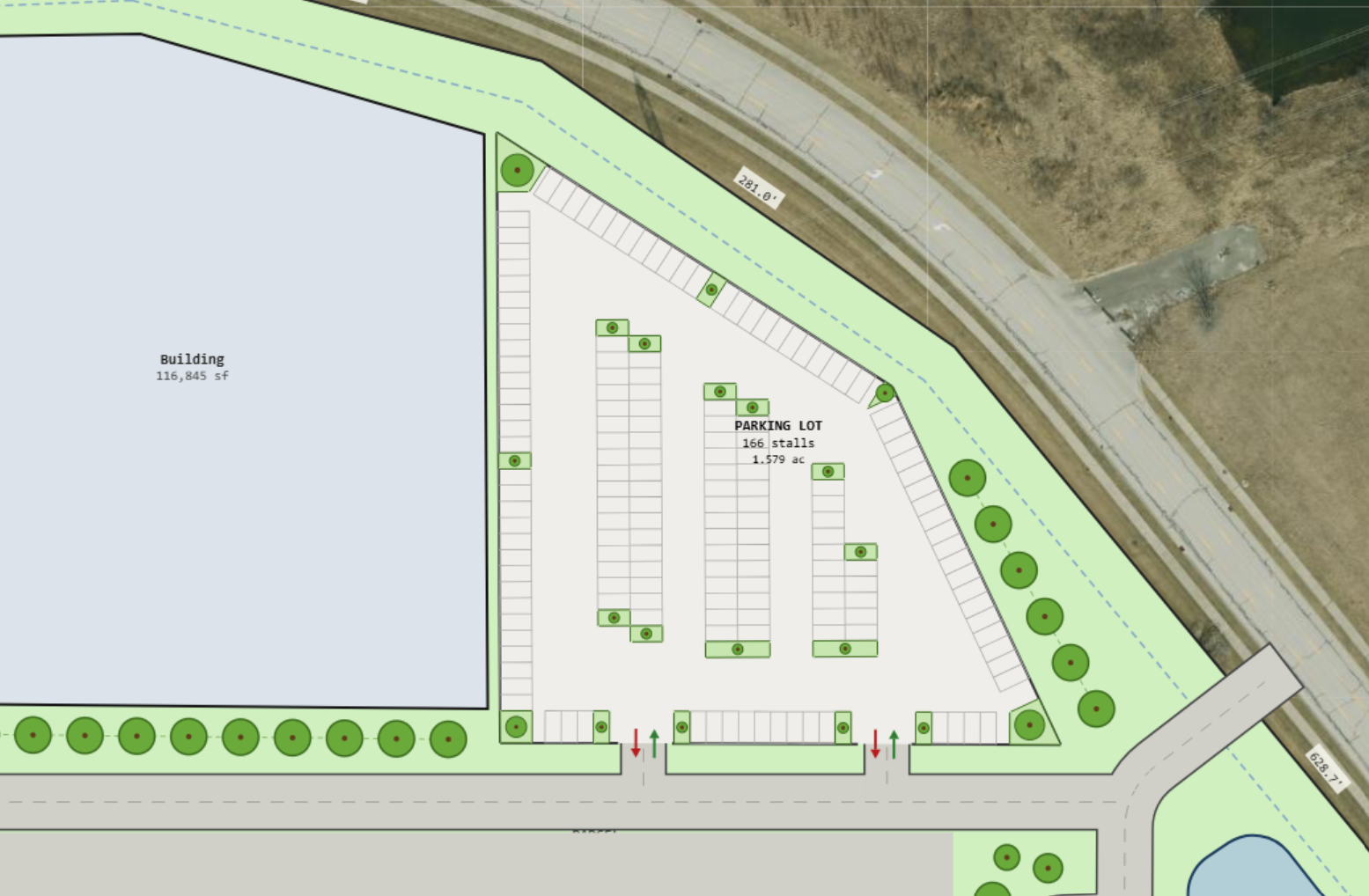
Parking Design

Draw parking lots that automatically snap to whole-stall counts. Set the number of rows and columns, adjust stall dimensions, and rotate the entire lot to any angle.

  • Row × column configuration
  • Auto snap-to-whole-stall on resize
  • Configurable stall width and depth
  • Drive aisle width control
  • Free rotation with handle
  • Total stall count shown in site summary
16 stalls (8 × 2) 9.0 × 18.0 ft
Live Analytics

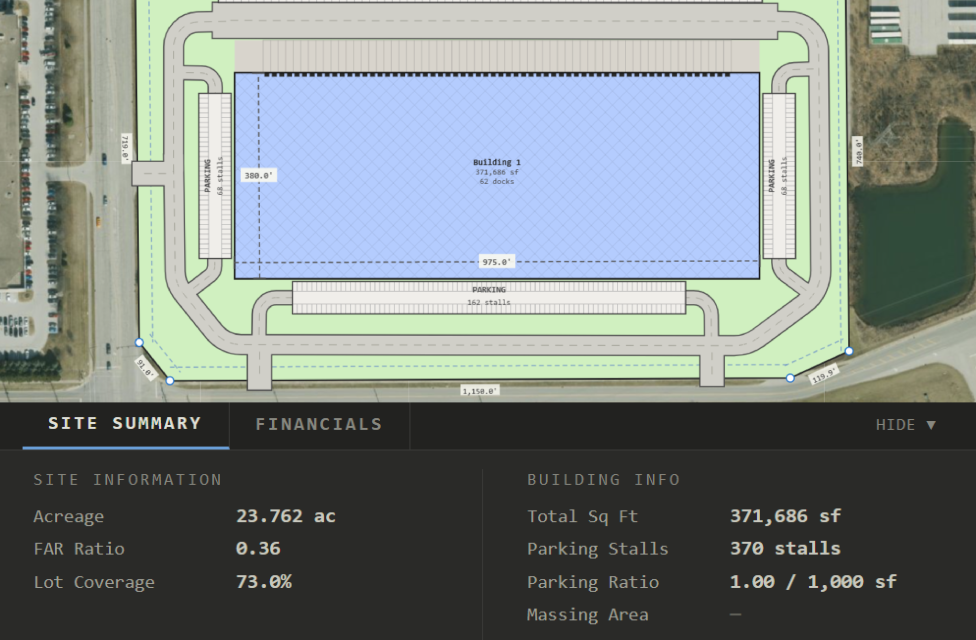
Site Analysis Dashboard

The summary panel updates with every change you make to the canvas, giving you instant feedback on how your layout decisions affect the key metrics your clients and zoning boards care about.

  • Acreage — total parcel area in acres
  • FAR — floor area ratio (building SF ÷ parcel SF)
  • Lot Coverage — building footprint as % of parcel
  • Building SF — total gross floor area
  • Parking Stalls — total count across all lots
  • Parking Ratio — stalls per 1,000 SF of building
SITE SUMMARY
ACREAGE
4.820
acres
FAR
0.35
ratio
LOT COVERAGE
58.2%
of parcel
BUILDING SF
73,440
sq ft
PARKING STALLS
186
total
PARKING RATIO
2.53
per 1,000 sf
Map Integration

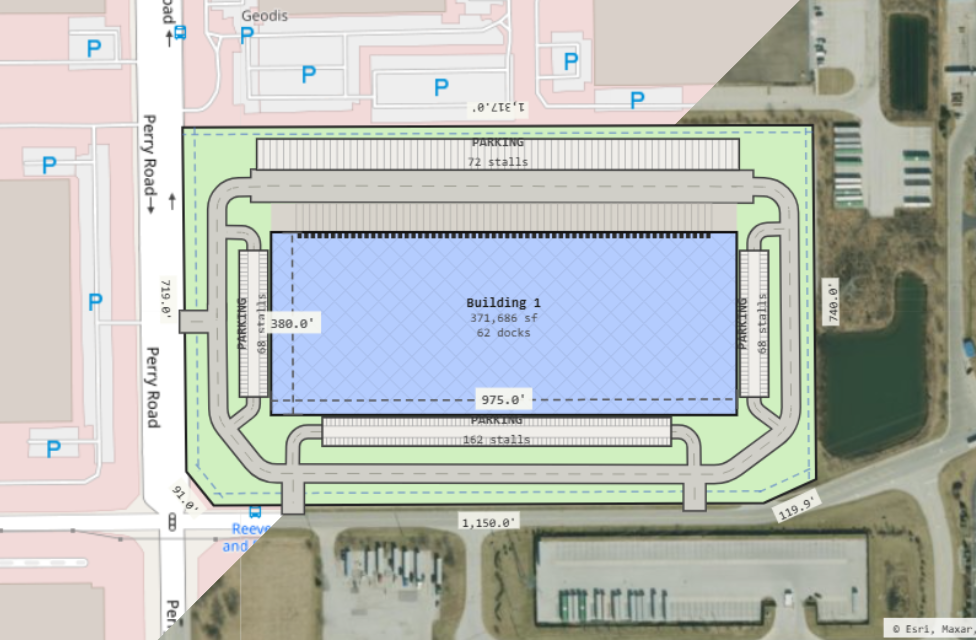
Satellite Map Overlay

Anchor your site plan to a real-world location by entering any address or GPS coordinate. Toggle between street map and satellite view. Adjust opacity to balance the map and your drawn elements.

  • Address search to center the map
  • Street or satellite tile layer
  • Adjustable map opacity overlay
  • Independent of pan/zoom of your plan
  • Helpful for tracing real parcel boundaries
123 Industrial Pkwy, Denver CO

Work at the speed of thought

Learn a few shortcuts and you'll fly through layouts without touching the toolbar.

Shortcut Action
VSelect tool
PParcel tool
RRoad tool
BBuilding tool
KParking tool
MMeasure tool
XMassing tool
FFit view to all elements
+ / Zoom in / zoom out
Delete or BackspaceDelete selected element
EscCancel current drawing / deselect
Scroll WheelZoom at cursor position
Middle-click dragPan the canvas

Try every feature for free

No account required. Open the tool and start drawing in seconds.

Open Lot Sketch