Road networks rarely stay simple — they cross, they T into each other, and they connect streets of completely different widths. The Road tool now handles all three of those cases for you: it snaps endpoints together, merges mismatched widths with a proper taper, and drops an intersection marker at every crossing automatically.
Endpoint snapping
Drag a new road's endpoint near another road's endpoint and it snaps into place, joining the two into one continuous connection instead of leaving a hairline gap or a slight misalignment. Land on the middle of an existing road instead of its end, and that road is split at the join point — so a new street stubbing into the side of a collector road behaves exactly like it would on a real plan.
Automatic taper joins
When the roads you're joining use different presets — say, a Residential Street feeding into a Minor Arterial — the tool builds a taper between them instead of an abrupt jump in width. Lane count, median, and buffer all transition smoothly across the join, so merges read the way they would in a real corridor rather than looking like two unrelated segments stitched together.
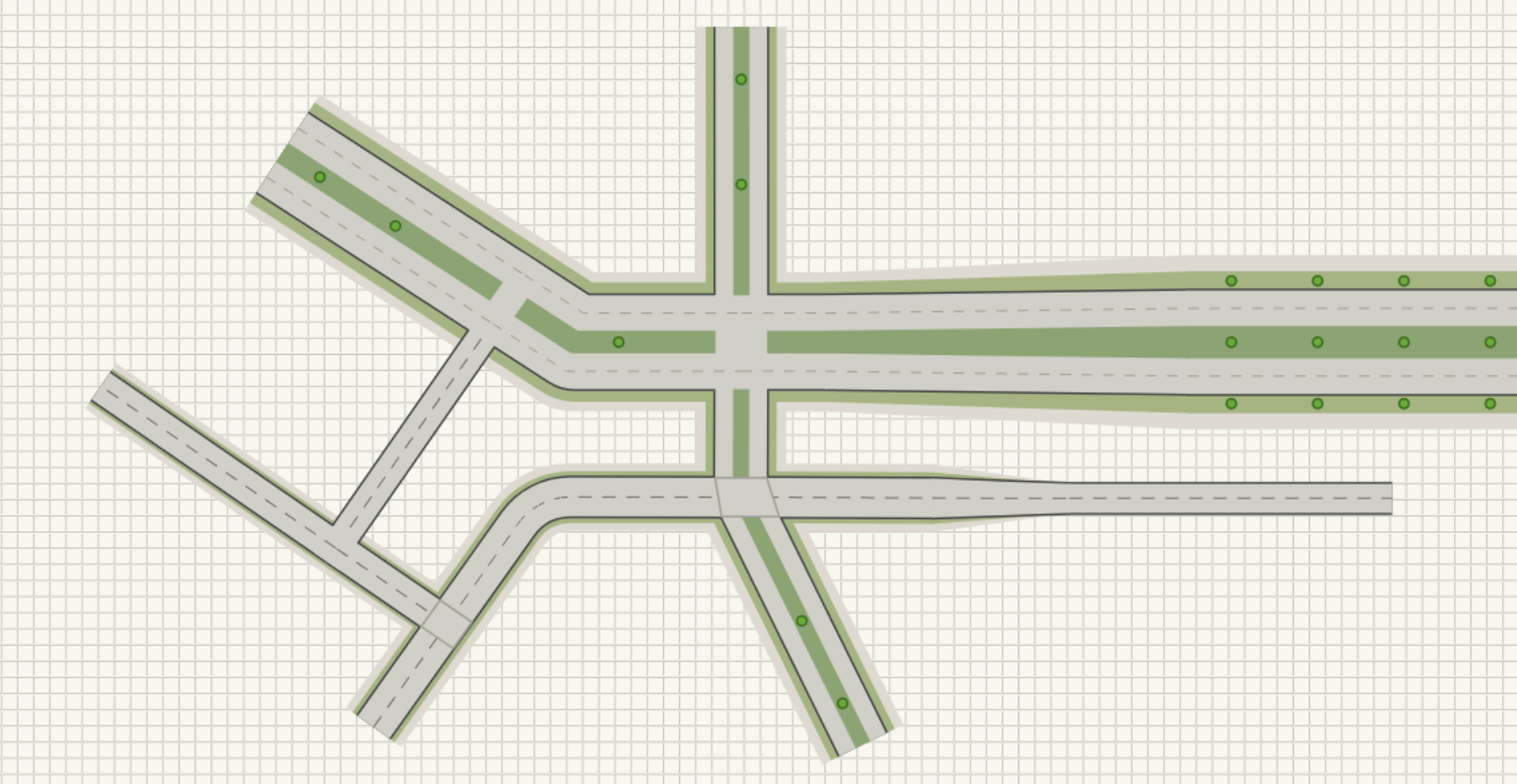
Toggleable intersection markers
Every crossing or T-junction created while drawing gets its own Intersection marker automatically — a small marker sitting exactly on the shared point, deduplicated so overlapping joins don't stack multiple markers on top of each other. Click one to select it directly, independent of the roads passing through it.
Each marker can be toggled on or off. Enabled, it breaks the median, centerline, and lane-divider striping right at the junction, the way a real intersection interrupts a road's paint markings. Disabled, the roads simply overlap with their striping intact, useful for cases like a driveway crossing that isn't a controlled intersection.
- Endpoints snap together automatically when drawing near another road
- Landing mid-span splits the existing road and joins there instead
- Mismatched presets merge with an automatic lane/median/buffer taper
- Intersection markers auto-generate at every crossing, deduplicated and click-to-select
- Toggle a marker to open or close the median and striping break at that junction
Between snapping, tapering, and automatic markers, connecting up a road network now reads like an actual corridor — clean joins, correct transitions, and intersections marked where they belong — without manually cleaning up every connection point by hand.