Trace any boundary and the new Parking Fill tool generates a complete stall layout inside it — including a perimeter ring of stalls, interior drive aisles, and landscape islands — instead of laying out rows by hand one at a time.
It's a generative element rather than a fixed one: Parking Fill only stores its boundary and a handful of parameters, and computes the full stall grid fresh every time you draw. Move a vertex and the whole layout reflows instantly.
How it works
Draw a boundary the same way you would for a parcel or massing shape, then dial in stall width, depth, aisle width, and turn radius from the properties panel. The tool automatically carves around anything already on the site — roads, buildings, freeform buildings, or massing — so you never end up with stalls overlapping a building footprint.
- Perimeter ring of stalls plus an interior field, generated automatically
- Auto-carves around overlapping roads, buildings, and massing
- Reflows live as you edit the boundary — nothing is baked in
- Renders with striping, islands, and trees in both 2D and 3D
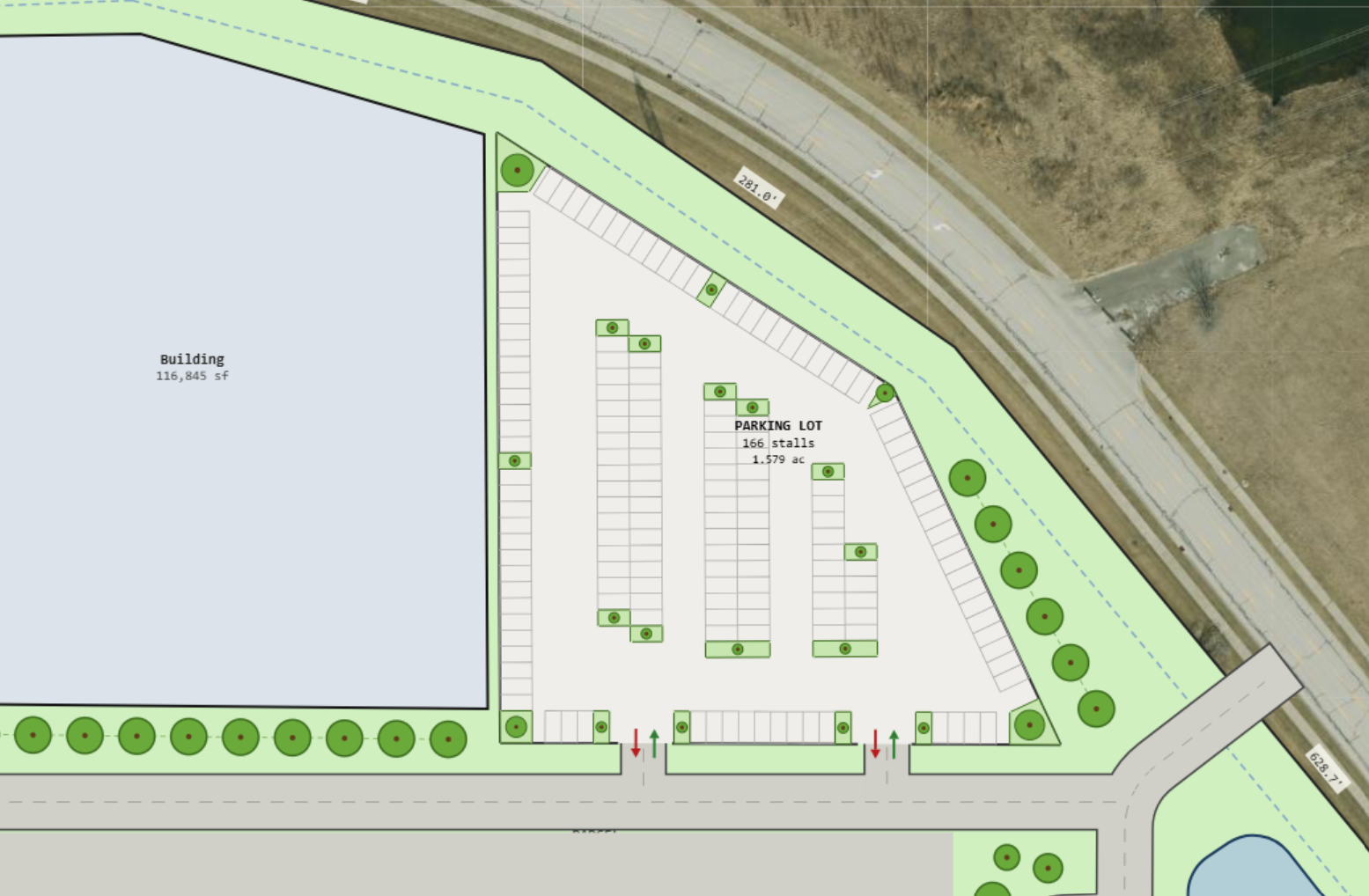
For big-box retail pads and large industrial yards where parking counts matter most, Parking Fill turns a layout that used to take a while to lay out stall-by-stall into a boundary sketch and a few parameters.